Private beta · macOS · Apple Silicon
Encrypted vaults without the terminal
Create, unlock, and lock encrypted folders on your Mac. Personal is free for one password vault; Pro adds Nostr, Amber, the menu bar, open at login, and more.
Beta builds are Apple Silicon only, not notarized yet — macFUSE required. Pro keys issued manually during beta; Intel and Bitcoin checkout at launch.
What it does
-
Vaults in Finder
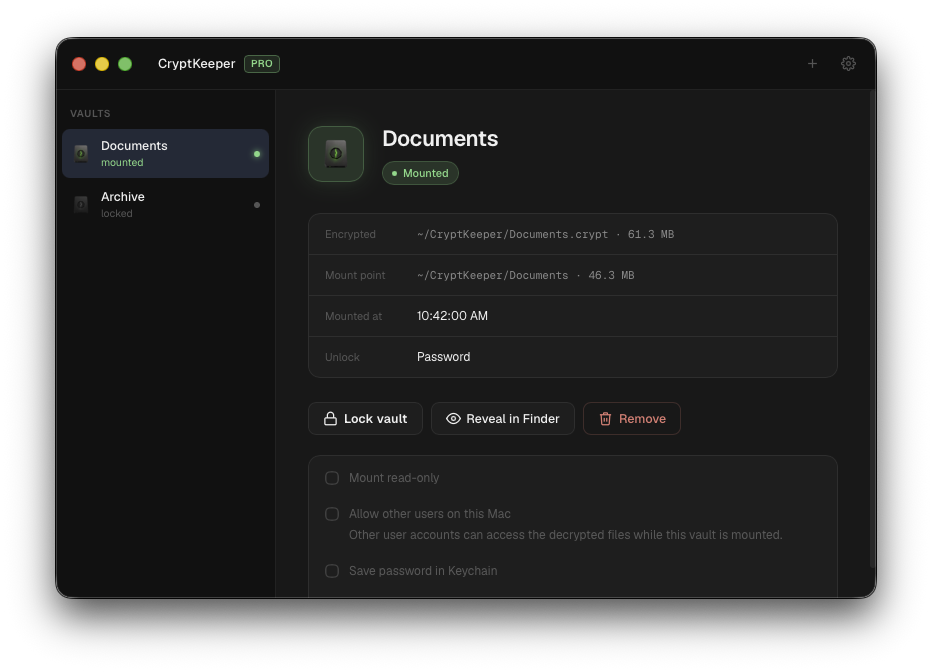
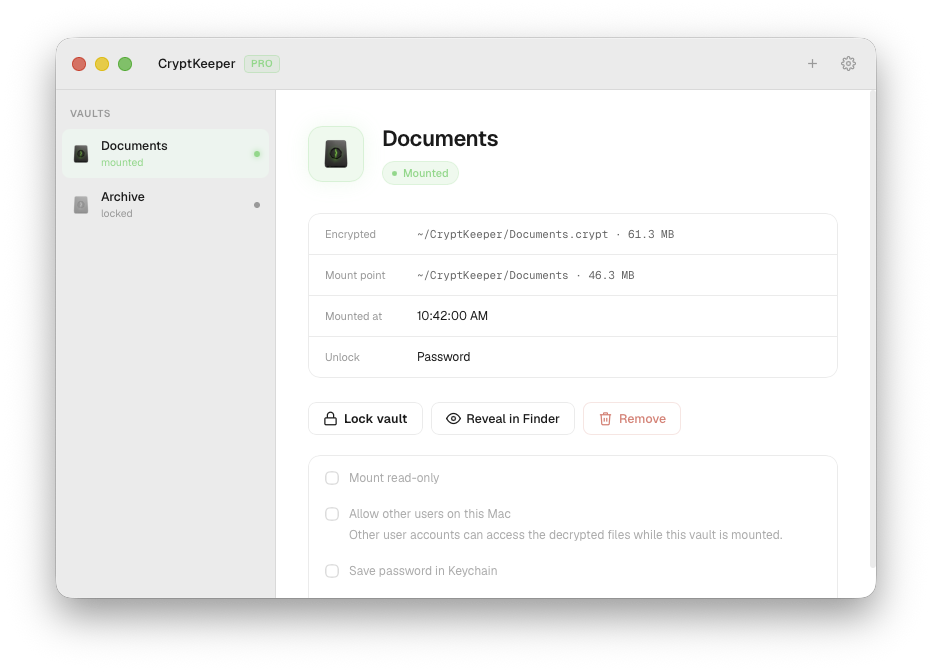
Create a new encrypted folder or add an existing one. Unlocked vaults mount like any drive — drag files in and out as usual.
-
Unlock your way
Personal unlocks with a password. Pro adds a Nostr key or Amber as a remote signer — your private key never leaves your phone.
-
Lock in one click
Unmount cleanly when you're done. Pro can optionally snapshot a backup copy each time a vault locks.
-
Always within reach
Pro adds a menu bar tray and open-at-login — open a vault in Finder, unlock, or lock all without hunting for the window.
-
Proven encryption
Built on gocryptfs: AES-256-GCM with encrypted filenames. No new crypto to trust, and no terminal to wrangle.
-
Yours, offline
Files stay on your Mac and your license is verified locally. No account, no cloud, nothing phoning home.
How it works
-
Download the app
Install CryptKeeper on your Mac (see unsigned-build steps below). Install macFUSE separately — the app shows a banner with the link if it's missing.
-
Request a Pro beta key
During beta, Pro keys are issued on request. Reply on Stacker News or Nostr, or email support with your use case (Apple Silicon Macs only for now).
-
Activate & use
Paste your Pro license key in Settings → License. Create vaults, mount them in Finder, lock when you're done — and send feedback.
Pricing
CryptKeeper (Personal)
Free
- One vault, unlocked with a password
- Create, mount, and lock from the app
- The same gocryptfs encryption as Pro
CryptKeeper Pro
Beta by request
- Unlimited vaults
- Unlock with a password, a Nostr key, or Amber
- Menu bar tray and open at login
- Keychain auto-unlock on startup
- Optional backup snapshot every time you lock
- Free updates across the current major version
Start free with Personal. During beta, Pro keys go to macOS testers who can share honest feedback — especially on Stacker News and Nostr.
- License verified offline on your machine
- Keys issued manually during beta
- $14.99 one-time at launch — Bitcoin only
- Activate under Settings → License
Requirements
CryptKeeper runs locally on your Mac. You only need two things:
macOS 11+ · Apple Silicon
Private beta builds run on M-series Macs (M1, M2, M3, M4, and later). Intel Mac support is planned for launch.
macFUSE
Free, one-time install from macfuse.github.io — not bundled with CryptKeeper. If it's missing, the app shows an in-app banner and blocks vault mount until you install it.
Get the app
Download & install
Beta builds are Apple Silicon only and not notarized yet. Download below, then follow the steps if macOS blocks the app.
- Open the .dmg and drag CryptKeeper into Applications
- Launch CryptKeeper — right-click the app → Open, then click Open again on the first run
- Install macFUSE from macfuse.github.io before creating or unlocking a vault — CryptKeeper shows a banner with this link if it's not installed yet
- Start with Personal (free) or paste a Pro beta key under Settings → License
Pro beta access
Limited slots for macOS testers. Tell us your use case and how to reach you.
- Download and install CryptKeeper (Personal works without a key)
- Request a Pro key — comment on our Stacker News post, reply on Nostr, or email support
- Include: Apple Silicon Mac model, use case, and Nostr npub or email
- Paste the key in Settings → License → Save
- Share bugs and feedback so we can ship a solid 1.0